Making REST API call in UE4
As any web developer will tell you, being able to make REST calls is a big part of the job. How else are you going to get and send the data you need anyway? In terms of a web browser this is a pretty trivial task, you can either rely on a 3rd party library or use the fetch API built into every modern browser engine. Unreal Engine? Not so much, as I discovered recently while tasked with saving analytics data for a client project using the Oculus Quest.
The initial plan had been to use Firebase or Google Analytics (mostly the same thing, I know) but we quickly discovered that those require Google Play services to be running on the host device, not something that is currently possible with the Quest. This led me down the road of just making the REST calls myself. A little googling around revealed there is no easy way to do this with just Blueprints, but plenty of C++ scripts I could use. What I did find though was a lifesaver in the Unreal Marketplace, a little plugin called "Fetch - A simple HTTP client". Not only is this a bargain at $5 but if you have any experience with REST on the web then everything is incredibly easy to understand and hook up.
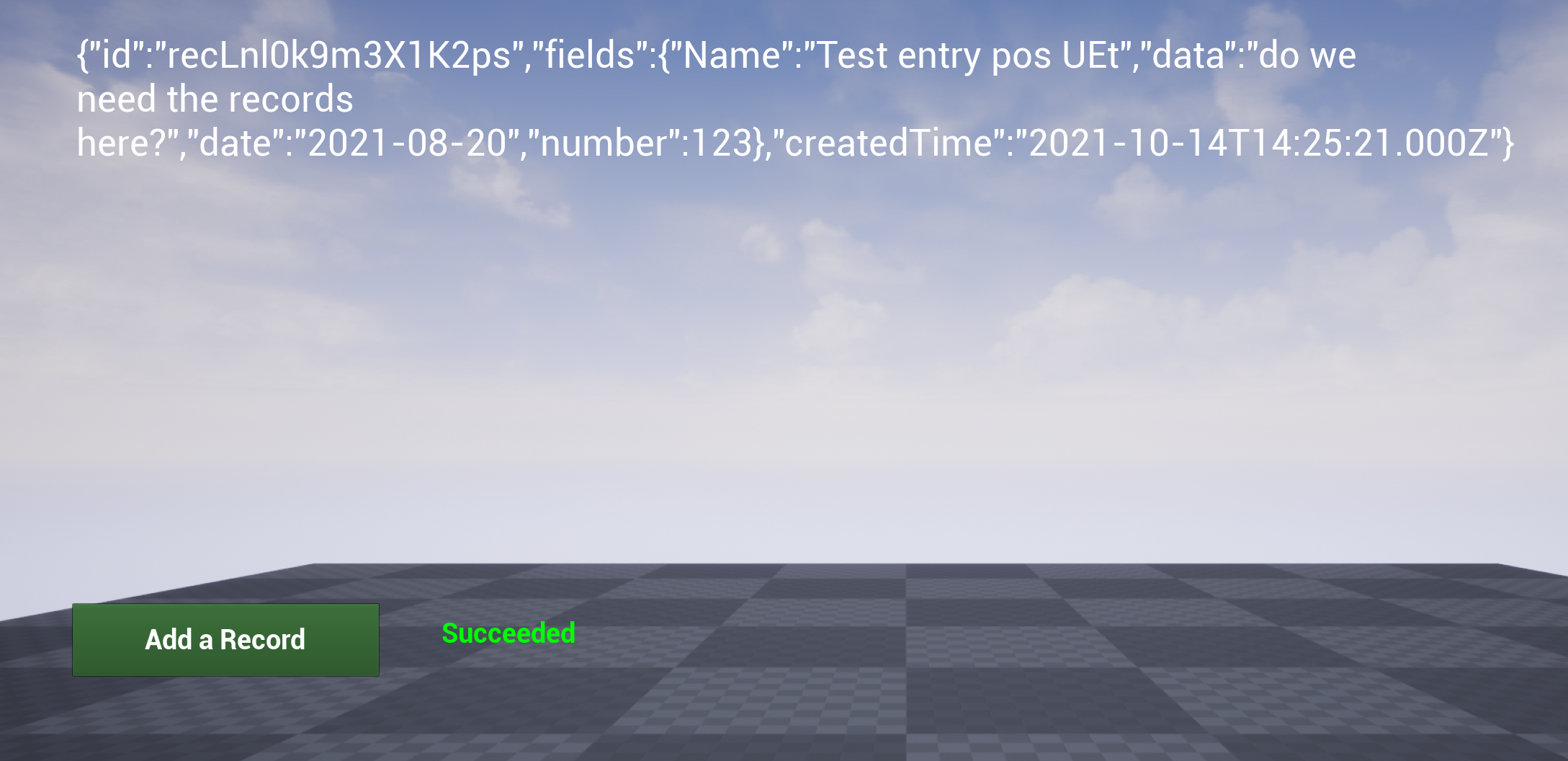 Holy crap, a successful REST call. In UE4.
Enter Air Table
After buying the plugin I needed a way to test it. Initially I thought about using Firebase but then remembered AirTable, which is probably the simplest way to save data out there. I had never actually used the service before but found setting up tables to be very intuitive. Once I had a test structure setup I tested the API calls via Postman to confirm I could read and write entries. This is an optional step but being able to see where you are going wrong with ay data calls and what the structure looks like it incredibly helpful. You can set it al up in UMG but that seems like a lot more work when an existing service is there to help you. Postman will also work with any API (or heck, build your own there) so it's really flexible.
Once I had the data and API calls ready to go I created a basic UE project and loaded a UMG widget to the screen when the project launches. For this test I put all the fetch logic inside the UI. I created two super basic function, "get air table info" and "get air table response" that were tied to a text blocks so I could see what the rest call returned and the status of the response (that second function is important for debugging but should be removed/disabled when you have everything working).
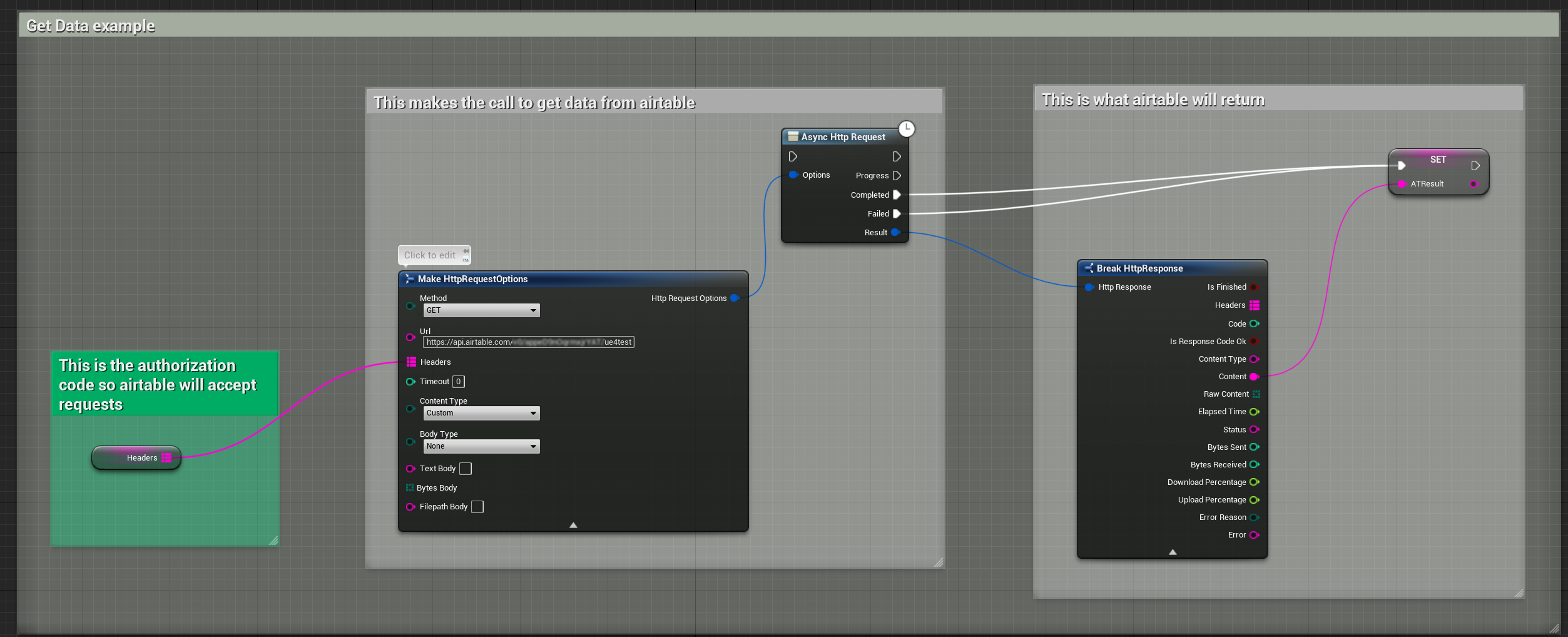 Quickly make a fetch request for data with just three nodes
I then added a button to be able to post a record to Air Table and hooked up the BP nodes available in the plugin to make the call the take the response and assign it to a variable. Amazingly it all worked as advertised on the first try. This almost never happens to me but I guess all these years as a front end web developer really paid off :-). We ended up using AirTable for the analytics requirement and it was WAY simpler than any of the other options. This is not a public project so the traffic isn't going to be heavy but for anything bigger you'd probably want to use Firebase or something else.
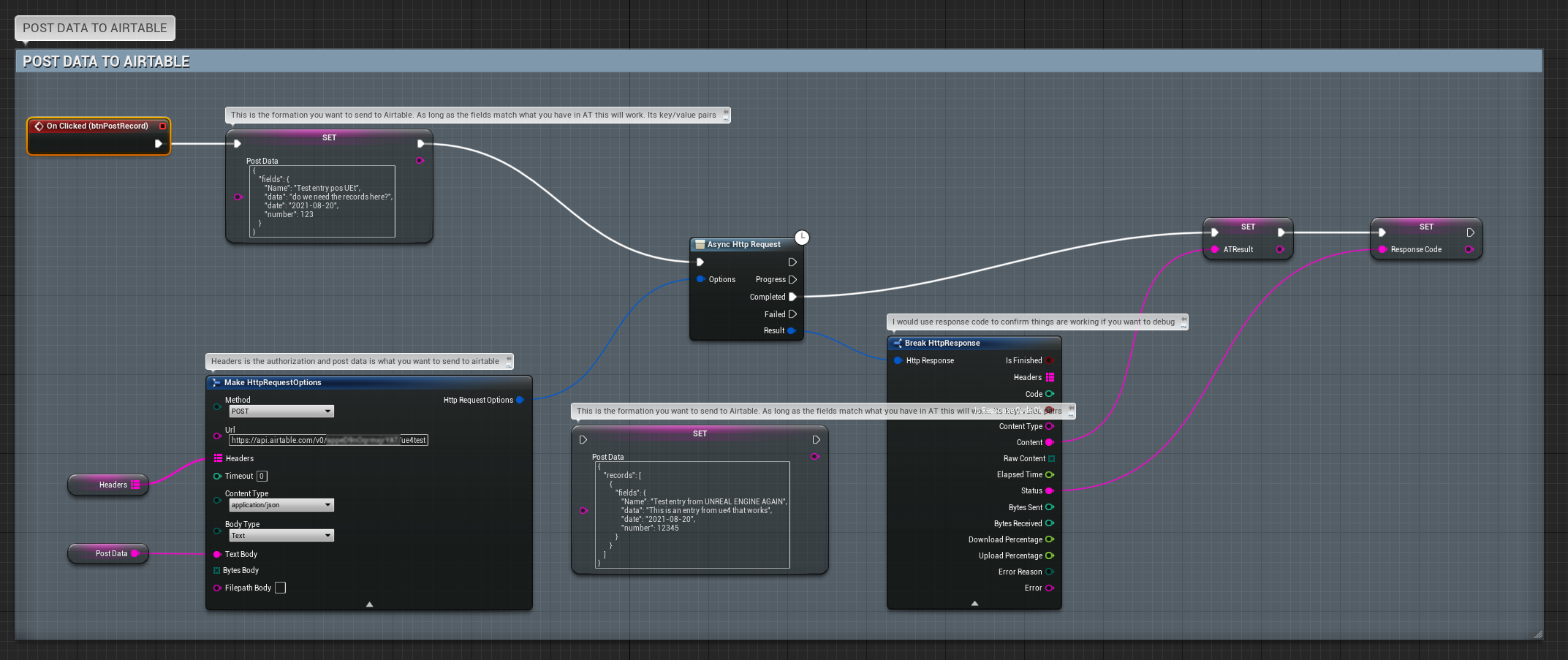 This is how simple your BP can be to post data
Possible next steps
Now that I know how easy it is to get API data into Unreal I'd like to try some experiments. What would a Twitter feed look like in 3D for example? In VR or even AR? Could you take something like COVID data and display it in such a way that you can get a real sense of what the numbers are? Also, at the moment Epic's Online Services (EOS) doesn't have an easy BP interface but they do have an API that you could use in the browser, this could be a good way to get around that roadblock if you don't know C++. (There is an EOS BP plugin available but it's a little on the expensive side) Lots of interesting possibilities, hoping to dive into this a little more soon.