Impressions of Construct 3
Intro
After completing my Unreal powered VR game I became super aware of the huge effort it takes to make even a straightforward 3D game for the Oculus Quest. As rewarding as that was I really wanted to try my hand at something smaller that wouldn't take most of the year to complete. While browsing around the usual game developer websites I came across an article about Facebook instant games and decided to check out what "hyper casual" looks like. The games (at the time) were simple and pretty rough around the edges but they did offer a quick gaming hit for someone who would never think of themselves as a "gamer".
My thought was that maybe I could use the constraints of FB Instant games to work on some smaller titles and make progress learning some core game concepts. Working in 3D was possible but it seemed like most of the games were 2D so I went off to look for a game engine that would fit the bill. (Using Unreal, if even possible, would have been like driving a tank to pick up a carton of milk) At the end of the day it came down to two engines: Game Maker 2 and Construct 3. I ended up with Construct for the simple reason that it was less expensive (at the time) than GM2 and used JavaScript, a language I know very well. Learning GML seemed like yet another hurdle and this project was primarily about speed of creation. Other options available include the open source phaserJS engine and PlayCanvas, which supports 3D. I even considered a return to Unity but felt like I'd forgotten what little C# I had learned and would be starting from scratch.
Enter Construct 3
The first thing that impressed me with Construct 3 is that the entire thing runs in the web browser. Nothing to download or update and you can create using any device you happen to have on hand: laptop, desktop, iPad, Chromebook, etc. I never really stopped marveling at how well the whole thing worked as a browser application. Another reason I ended up with Construct is they have this novel way of coding your games that sits somewhere between the visual editing of Unreal blueprints and actual code. It takes a little getting used to and I wish there were more tutorials about how to organize a project so you don't end up with all your logic in one place but that's a minor quibble. Like any other engine you really want to break things down into smaller functional parts, not unlike creating components if you are building a web app. This important step isn't all that obvious when you start with Construct.
The way you code in C3 is through something called an event sheet, which is loosely what Construct 3 calls the equivalent of a JavaScript file. I'm quite used to attaching scripts directly to the game object I'm making, like a player character, so this separation is something I didn't get used to all that well over the course of making two games. In hindsight if you name your event sheet the same as the object that would solve the problem pretty handily.
Overall I thought making a game in C3 was pretty easy once you get used to the way things work and a lot of the basic functionality you would want to use (like a way to move a player around the screen) is prebuilt for you, which saves a lot of time from having to create something from scratch. Even the smaller stuff like collision or overlap are right there as a building block to use in the event sheet. It feels like C3 has the majority of functionality "in the box" and it's up to the user to put them together to make a functional game. At the end of the day it's still coding but with some of the more technical aspects neatly hidden away. You still have to use a programmers sense of logic, and know how to debug, etc. I believe this is a very individual choice, some people find it just easier to go right into the code but I like these visual editors because I don't have to worry about debugging basic stuff and can get right into trying to craft a fun game.
As much as I liked Construct 3 when my subscription ran out I decided not to renew. Some of that is because I still wasn't comfortable with the way C3 did things compared to other engines but also because FB tightened up the restrictions for Instant Games and I didn't feel like jumping through hurdles to get something published on their platform. Below are more details on the two games I did manage to complete.
Bricks vs Ball
This was my first game using Construct. I kept it very simple, given I was trying to make a game and learn a new app at the same time. When I look back at the logic, organization and code for this game it's no wonder it took me so long to debug and complete but first projects are always a bit of mess. Still, I'm happy with the result. It has the same relaxing quality to it that I felt when playing games like Peggle. Perhaps that's just part of watching a ball bounce around and do its thing. Making a sequel in a different game engine would be an interesting experiment to compare C3 with something like phaserJS.

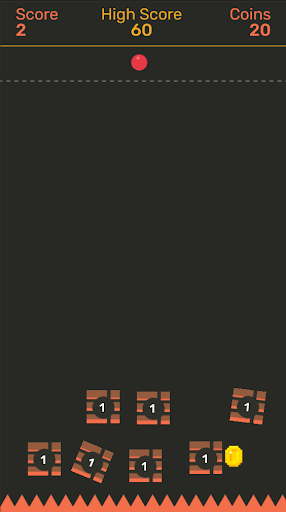
You can play the game on itch.io
Flog
While browsing through the samples on the C3 website I came across a ready to use template for a golf game. I thought the way the touch controls worked was cool and wanted to run with that. After building a few levels and removing some ambitious features (always happens with me) I had game I quite liked. I also learned a lot about tile maps and that building levels using that technology is a very zen feeling. The final touch was asking a friend to contribute VO to the game to give it a sense of humor only he could provide. Adding his voice lines to the game made the entire project worthwhile and I would love to think of another project that could use his talents.

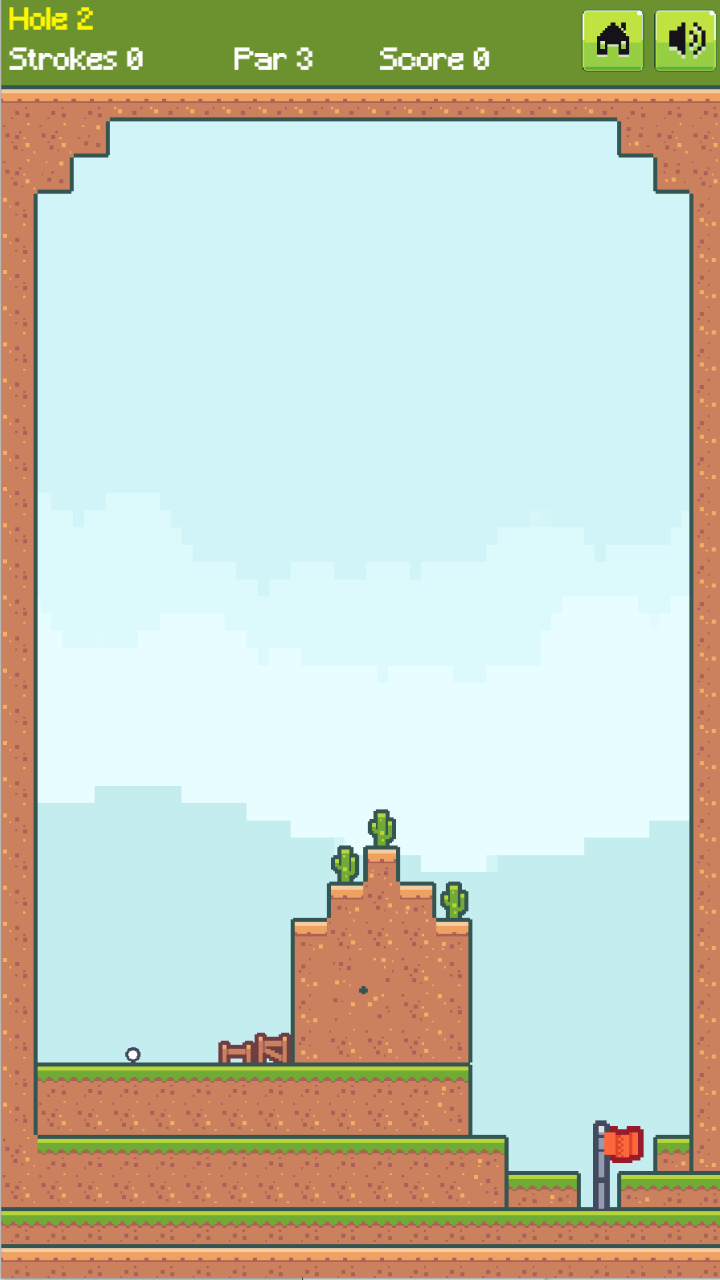
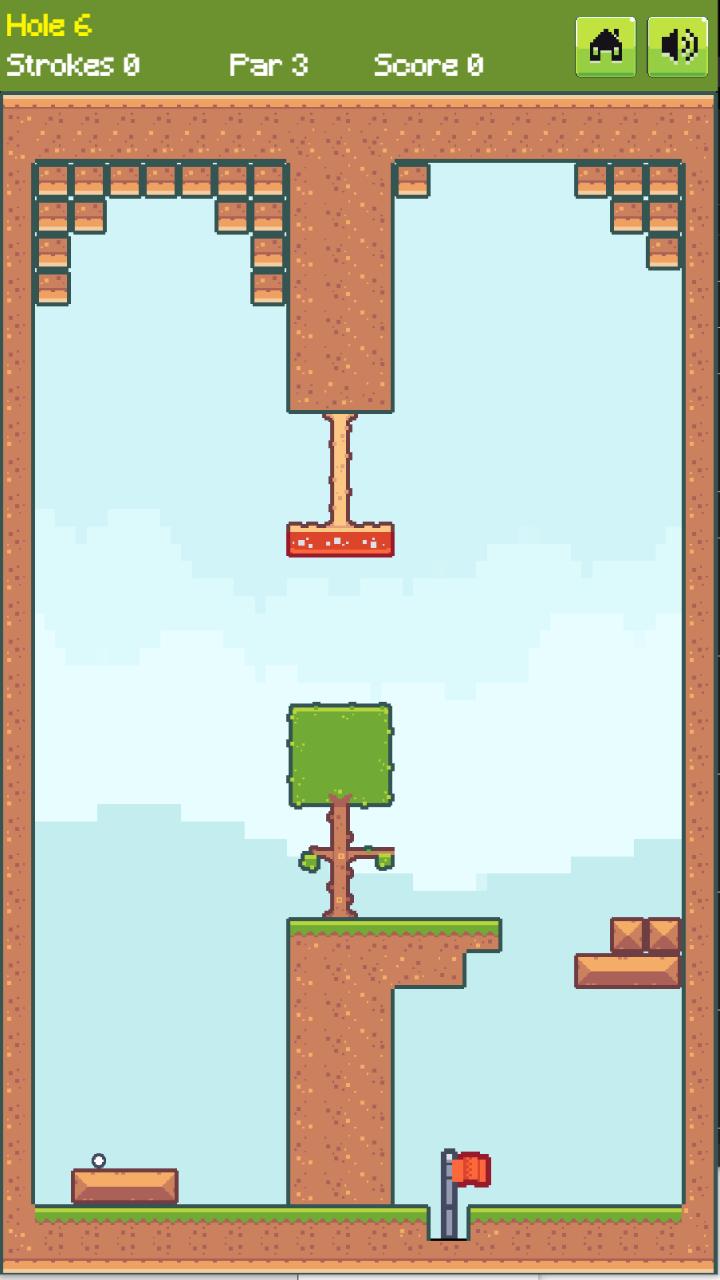
You can play the game on itch.io or at crazygames.com
About phaserJS
I have mentioned the open source phaserJS engine a few times here and wanted to say I have in fact made a simple game using this engine. This particular title was part of a Comcast "hack week" where we put games onto a cable set top box to see how well things would run. As part of the constraint we also decided all the games should feature the Philadelphia Flyers mascot, Gritty, which explains my use of art assets. (Comcast is based in Philly) I really enjoyed working in phaser and have considered going deeper with that engine a few times. Doesn't hurt that it's open source and has a ton of good tutorials.